General
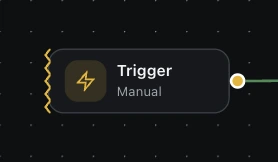
Trigger
Block where workflow will start executing
Block type: trigger
Inputs
| Name | Type | Default | Description |
|---|---|---|---|
disableBlock | boolean | false | Disable this block |
description | string | — | Node description |
typerequired | select | manual | Trigger type Example: manualintervaldatecronvisit-webjs-eventkeyboard-shortcut |
interval | number | 60 | Interval in minutes (for interval trigger) |
delay | number | 5 | Initial delay before first run (seconds) |
date | string | — | Trigger date (for date trigger) |
time | string | 00:00 | Trigger time (HH:mm) |
cron | string | * * * * * | Cron expression (min hour day month weekday) |
eventName | string | automa-trigger | Custom event name to listen for |
eventData | textarea | {} | Expected event data (JSON) |
url | string | — | URL (for visit-web trigger). Use regex if enabled. |
isUrlRegex | boolean | false | Interpret URL as regex pattern |
activeInInput | boolean | false | Only trigger when input is focused |
days | array | [] | Active days of the week |
shortcut | string | — | Keyboard shortcut (e.g. alt+shift+1) |
parameters | array | [] | Workflow parameters (name, value, type) |
preferParamsInTab | boolean | false | Prefer parameters input in tab |
Outputs
triggeranyTrigger output data