AI blocks
AI Extract and AI Generate, powered by your own API key.
Your own API key
The AI blocks use your own key. OpenAI and Anthropic work out of the box, and so does any OpenAI-compatible provider — OpenRouter, Groq, Together, DeepSeek, Mistral, or a local Ollama / LM Studio — by picking a preset or entering a custom base URL in Settings → AI Providers. Keys are stored encrypted on your machine and are never written into a workflow, so sharing or exporting one never leaks them.
Blocks reference a provider by its id (e.g. openai, openrouter), not a key. Anyone who imports your workflow supplies their own key.
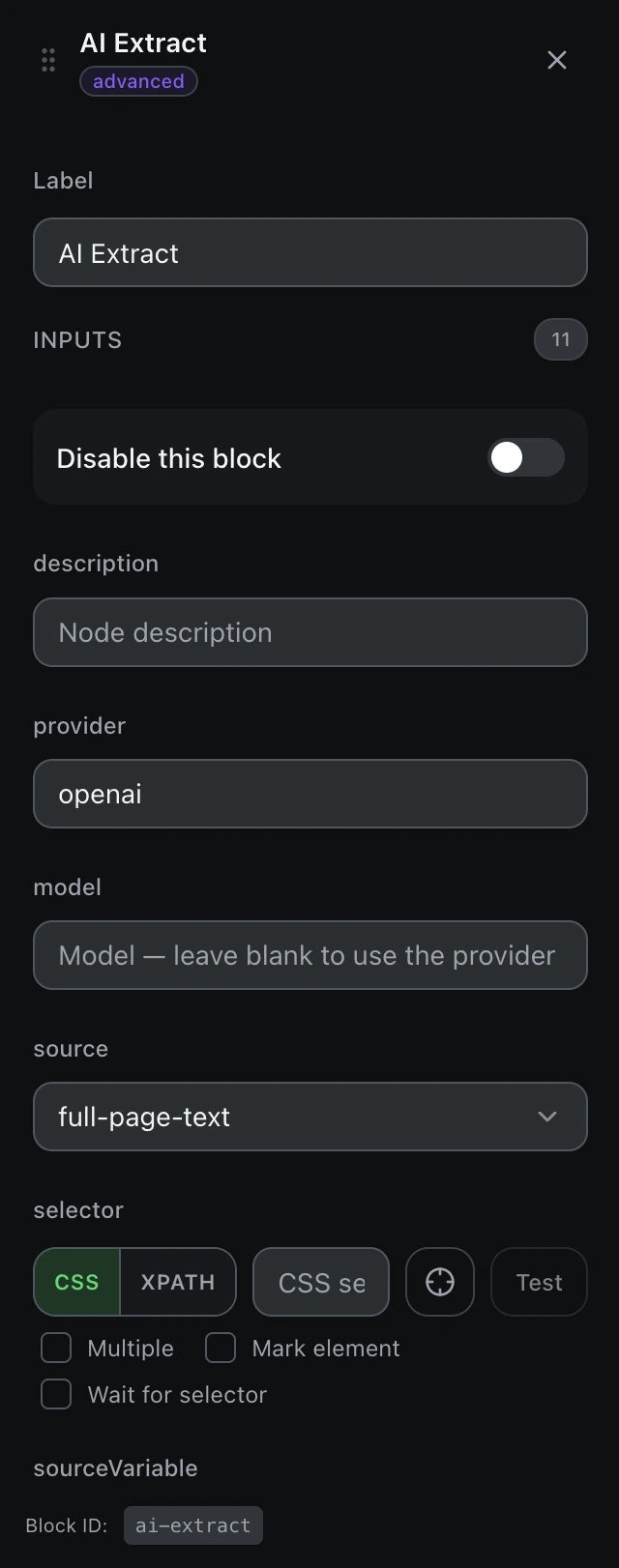
AI Extract
AI Extract turns page content into structured JSON — a resilient alternative to brittle selectors. Point it at the full page text, a selector, or a variable; list the fields you want (name, type, description); the result is stored as an object.
Each field is also exposed as its own variable named result_field. A template only interpolates strings — {{result}} on an object renders [object Object] — so reference a field with {{result.title}} or the flattened {{result_title}}.
AI Generate
AI Generate writes text — comments, replies, bios — from a prompt that can reference variables with double braces. The result is saved to a variable for the next block (fill a form, type a comment) to use.
A prompt using a scraped value
Write a friendly one-line reply to this review: {{reviewText}}