Fingerprints
The parameters that make each profile look like a different device, and when to touch them.
What gets spoofed
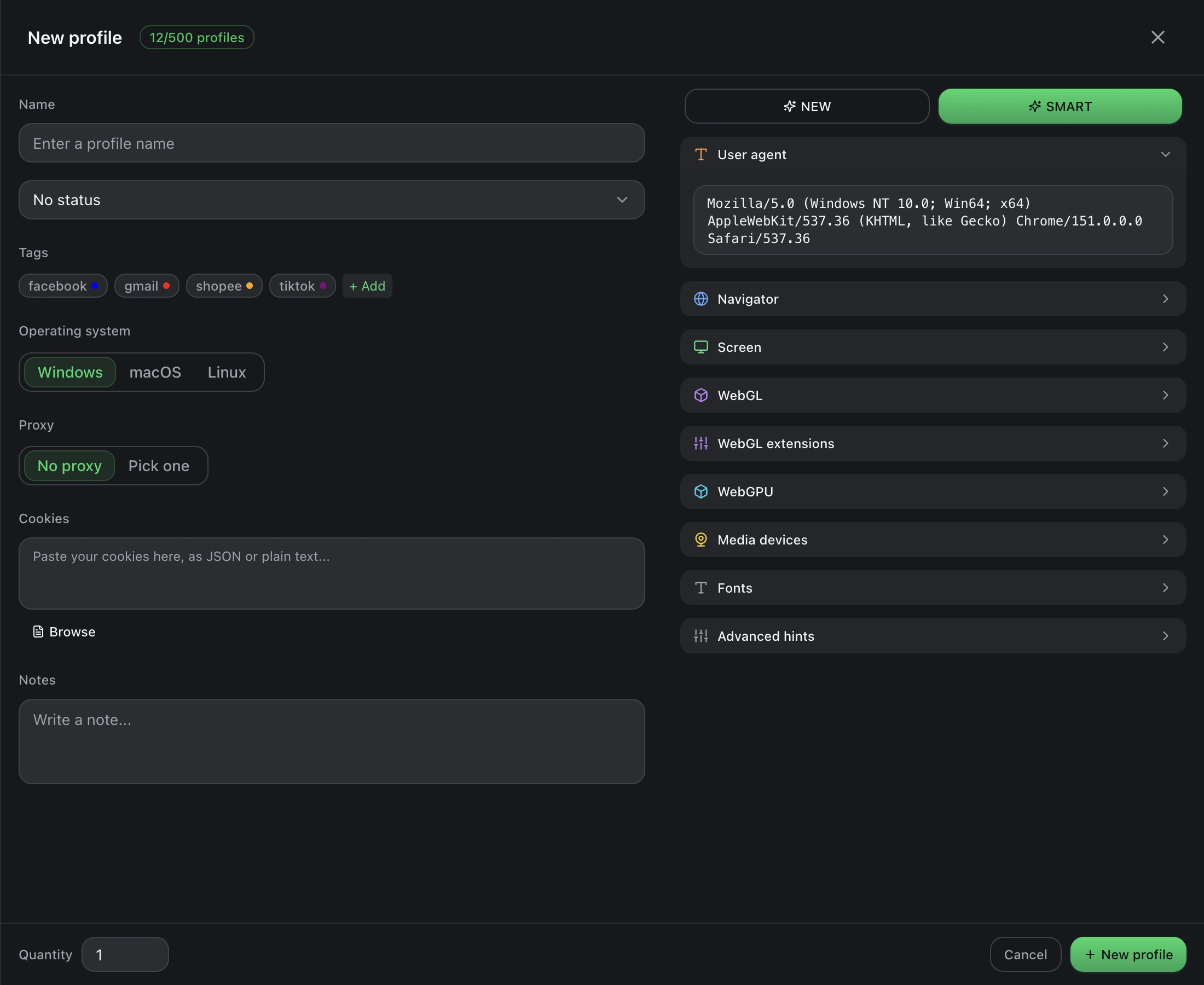
A fingerprint is the set of values a site can read from the browser to identify the machine behind it. The engine replaces these at a level below JavaScript, so a script that reads them sees consistent, real-looking values rather than evidence of tampering.
- User agent — the browser and OS string, with matching client hints.
- Navigator — platform, vendor, language, hardware concurrency, device memory.
- Screen — resolution, available area, colour depth, pixel ratio, touch points.
- WebGL — vendor, renderer, and the extension list, with a noise mode for the canvas readback.
- WebGPU — reported adapter characteristics.
- Media devices — the audio and video inputs and outputs the machine claims to have.
- Fonts — the installed font list, which is one of the highest-entropy signals available.
- Locale and timezone — which should agree with where your proxy exits.
Generating one
Use Generate to get a fresh random fingerprint, or Smart generate to get one whose parts are internally consistent — a device that plausibly exists, rather than a mobile GPU on a desktop screen resolution. Prefer smart generation; incoherent fingerprints are more suspicious than ordinary ones.
The most common self-inflicted mistake is a mismatch between fingerprint and proxy: a machine claiming a Vietnamese locale and an Asia/Ho_Chi_Minh timezone arriving from a German IP address. Set the locale and timezone to match where the proxy exits.
Changing a fingerprint later
Treat a fingerprint as permanent once the profile has logged in anywhere. Real devices do not change their GPU or screen resolution between sessions, and a site that tracked the old values will notice. Change one only when you are deliberately starting that profile over.