Control Flow
Loop Elements
Loop through matched elements and perform actions
Block type: loop-elements
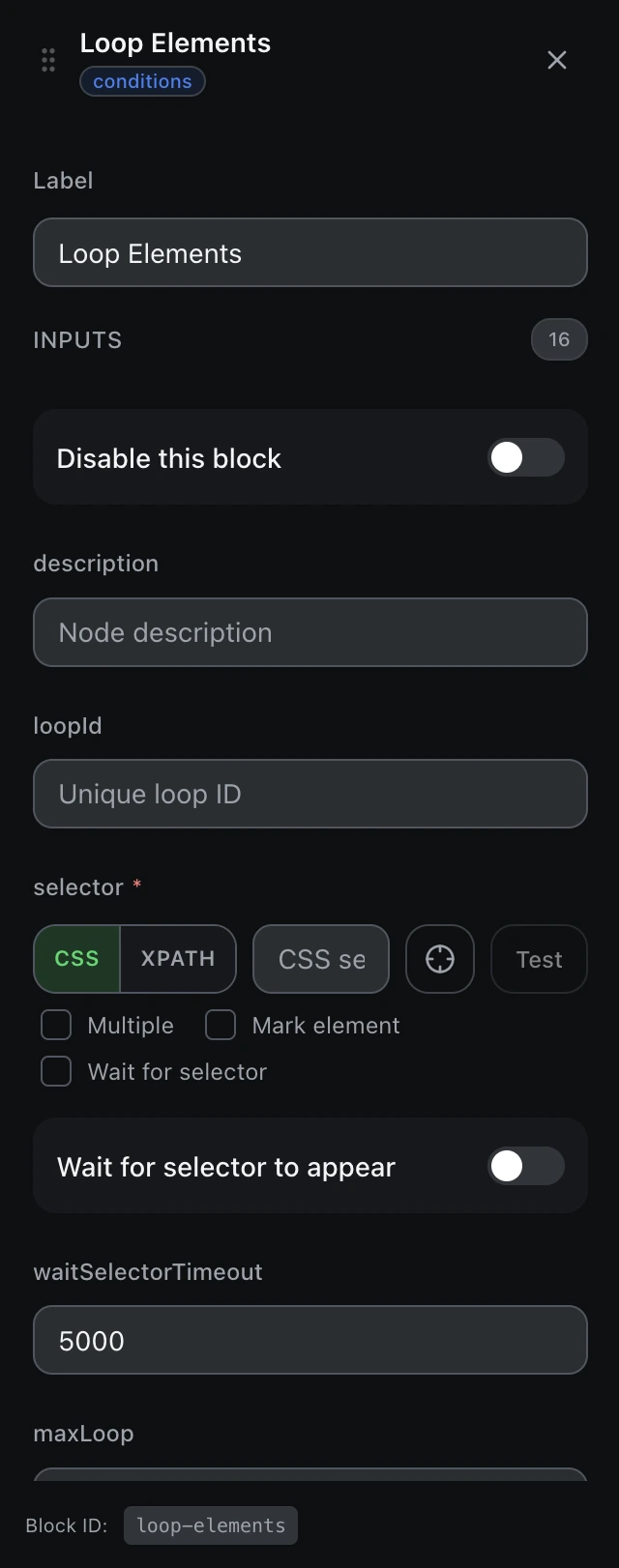
Inputs
| Name | Type | Default | Description |
|---|---|---|---|
disableBlock | boolean | false | Disable this block |
description | string | — | Node description |
loopId | string | — | Unique loop ID |
findBy | select | cssSelector | Selector typecssSelectorxpath |
selectorrequired | string | — | CSS selector or XPath |
waitForSelector | boolean | false | Wait for selector to appear |
waitSelectorTimeout | number | 5000 | Selector wait timeout (ms) |
maxLoop | string | 0 | Max iterations (0 = unlimited) |
reverseLoop | boolean | false | Loop in reverse |
actionElSelector | string | — | Action element selector within loop |
scrollToBottom | boolean | true | Scroll to bottom on each iteration |
loadMoreAction | select | none | Load more action Example: nonescrollclick |
loadMoreSelector | string | — | Selector for "load more" button (when loadMoreAction is click) |
loadMoreMaxWait | number | 10 | Max wait time for elements to load after clicking (seconds) |
actionElMaxWaitTime | number | 5 | Action element max wait (seconds) |
actionPageMaxWaitTime | number | 10 | Page max wait time (seconds) |
Outputs
elementanyCurrent element