Browser
Take Screenshot
Take a screenshot of current active tab
Block type: take-screenshot
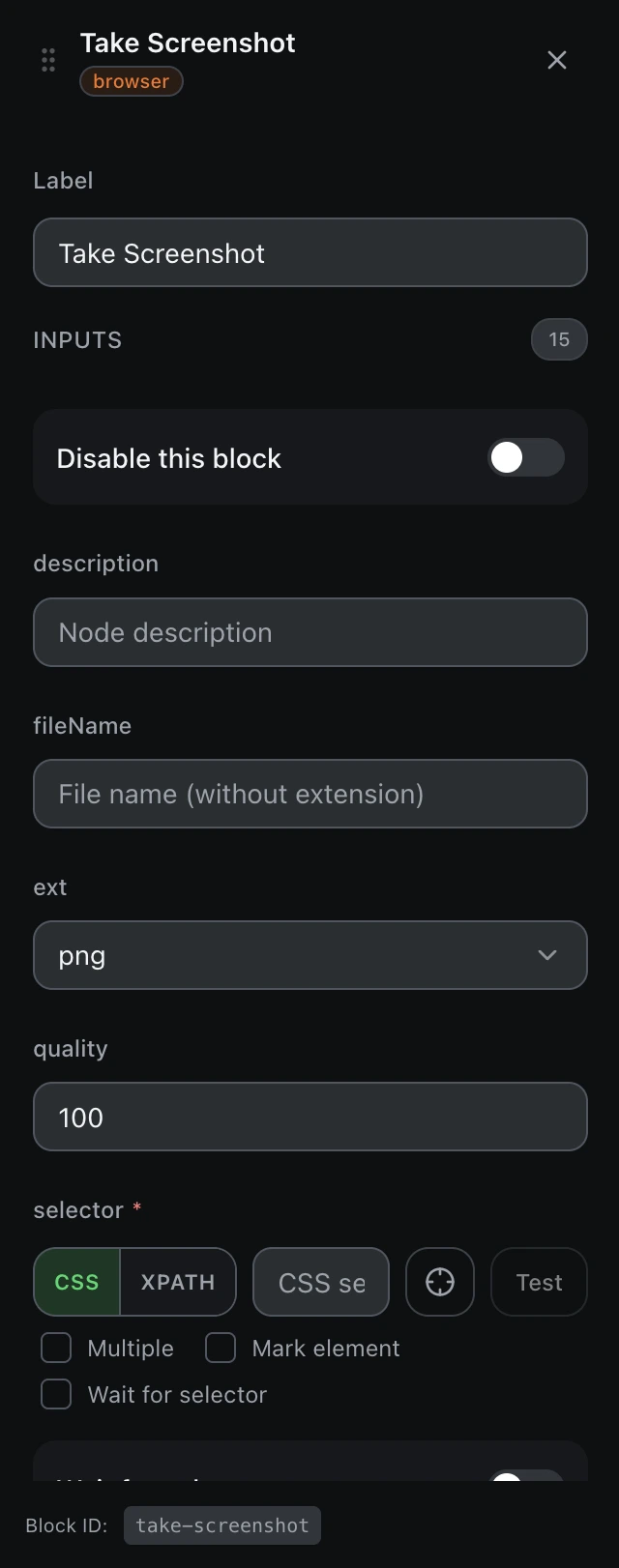
Inputs
| Name | Type | Default | Description |
|---|---|---|---|
disableBlock | boolean | false | Disable this block |
description | string | — | Node description |
fileName | string | — | File name (without extension) |
ext | select | png | Image format Example: pngjpegwebp |
quality | number | 100 | Image quality (0-100) |
findBy | select | cssSelector | Selector typecssSelectorxpath |
selectorrequired | string | — | CSS selector or XPath |
waitForSelector | boolean | false | Wait for selector to appear |
waitSelectorTimeout | number | 5000 | Selector wait timeout (ms) |
fullPage | boolean | false | Capture full page |
saveToComputer | boolean | true | Save to computer |
saveData | boolean | true | Insert into the workflow table |
dataColumn | string | — | Table column name |
assignVariable | boolean | false | Assign to variable |
variableName | string | — | Variable name |
Outputs
filePathstringScreenshot file path