Interaction
Scroll Element
Scroll an element or the page
Block type: element-scroll
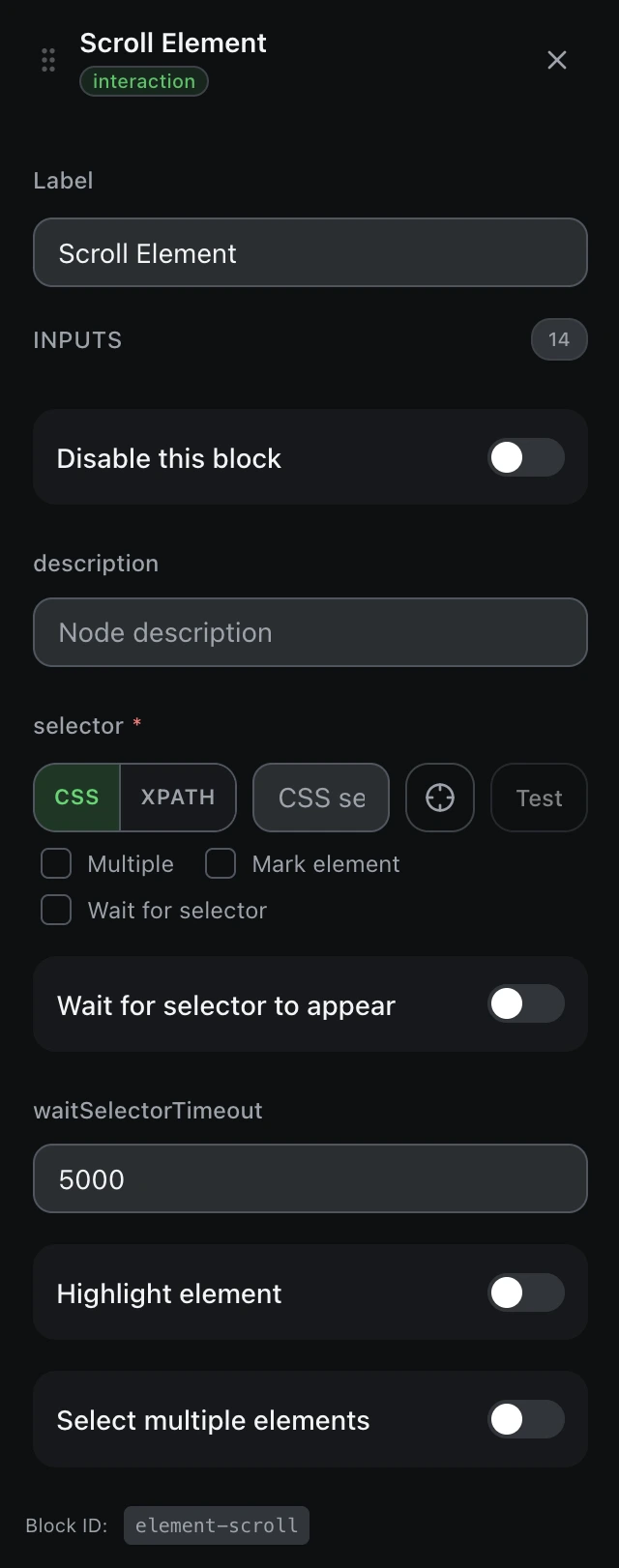
Inputs
| Name | Type | Default | Description |
|---|---|---|---|
disableBlock | boolean | false | Disable this block |
description | string | — | Node description |
findBy | select | cssSelector | Selector typecssSelectorxpath |
selectorrequired | string | — | CSS selector or XPath |
waitForSelector | boolean | false | Wait for selector to appear |
waitSelectorTimeout | number | 5000 | Selector wait timeout (ms) |
markEl | boolean | false | Highlight element |
multiple | boolean | false | Select multiple elements |
scrollY | number | 0 | Vertical scroll (px) |
scrollX | number | 0 | Horizontal scroll (px) |
incY | boolean | false | Increment vertical scroll |
incX | boolean | false | Increment horizontal scroll |
smooth | boolean | false | Smooth scrolling |
scrollIntoView | boolean | false | Scroll element into view |
Outputs
scrollXstringHorizontal scroll position after scrolling
scrollYstringVertical scroll position after scrolling